
Flashlight SOS - LED Torch
Flashlight SOS - LED Torch turns your Android phone into a fast, reliable torch — and an emergency tool when you need it most. A plain flashlight app can light up a room, but it can't signal for help. This app automatically flashes the universal SOS distress pattern, sends Morse code messages, and works as a bright screen light — all in one lightweight, private app.
Get Flashlight SOS
on Your Phone

Scan the QR code
below to download the app from
Google Play Store.
Key Features
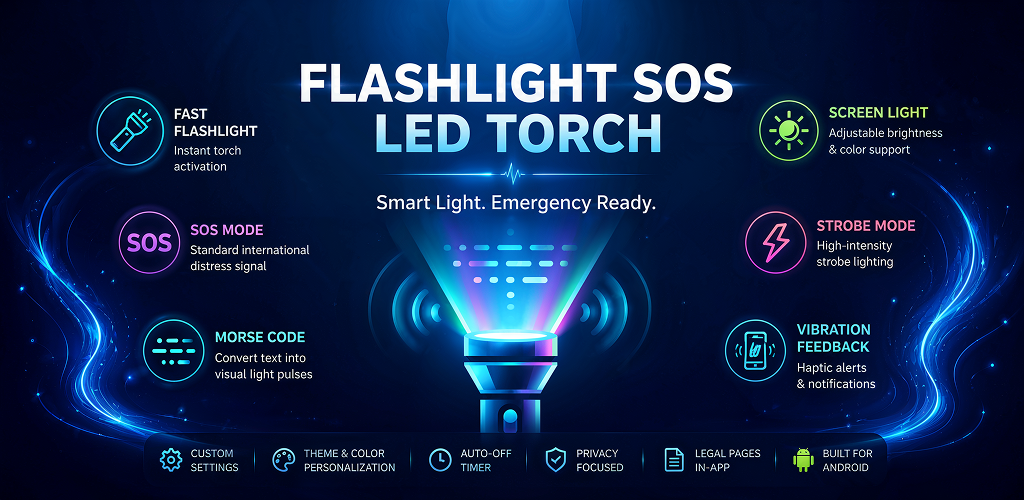
Built with performance and simplicity in mind — smooth flashlight control, customizable lighting modes, and privacy-focused functionality.
SOS Signaling
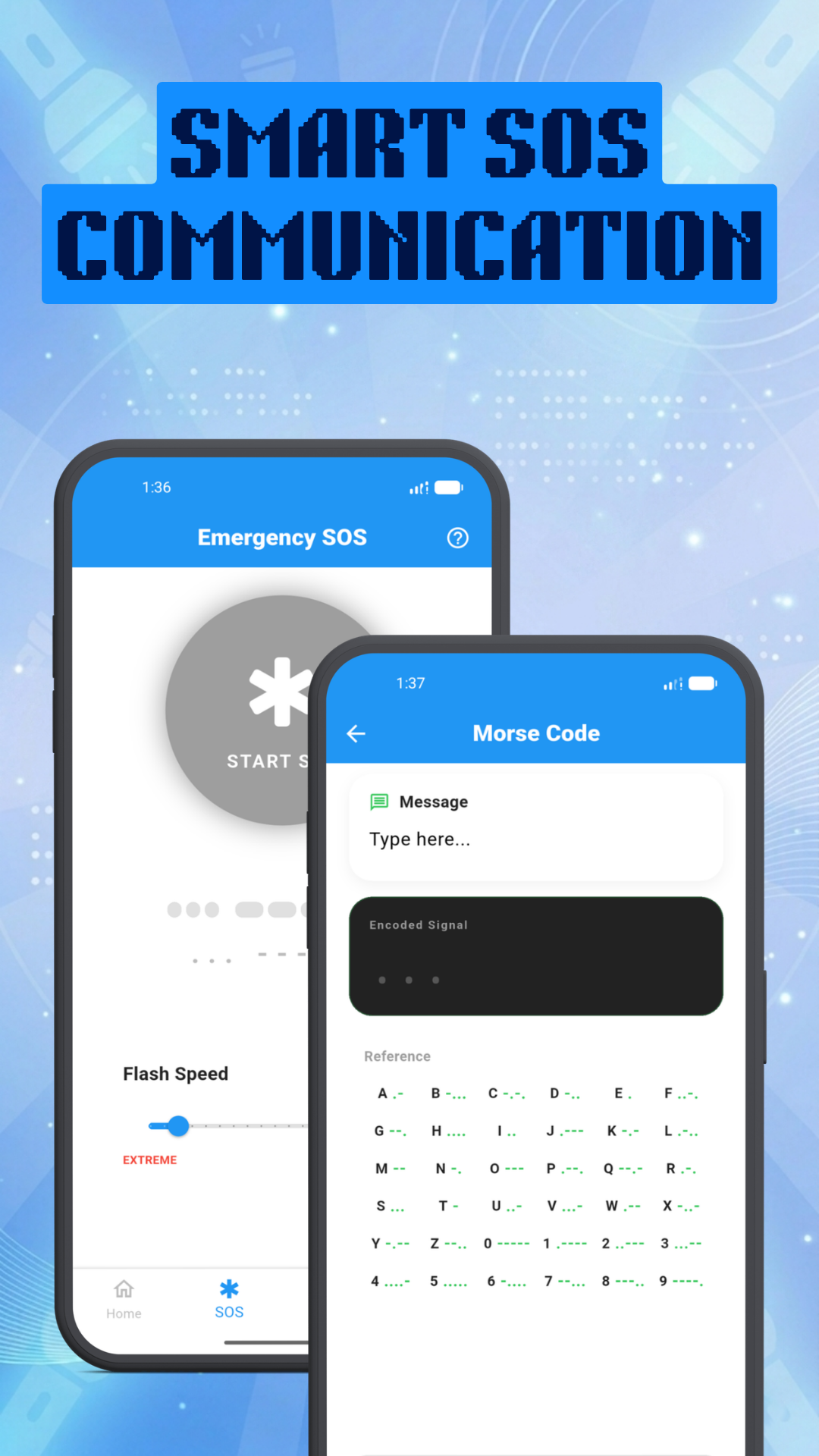
Pre-configured SOS mode using the standard international distress light pattern for emergency situations.
Strobe Mode
Adjustable strobe light speed with optional vibration feedback for visibility and alerts.
Morse Code Mode
Converts text input into visual light pulses for visual communication.
Instant On
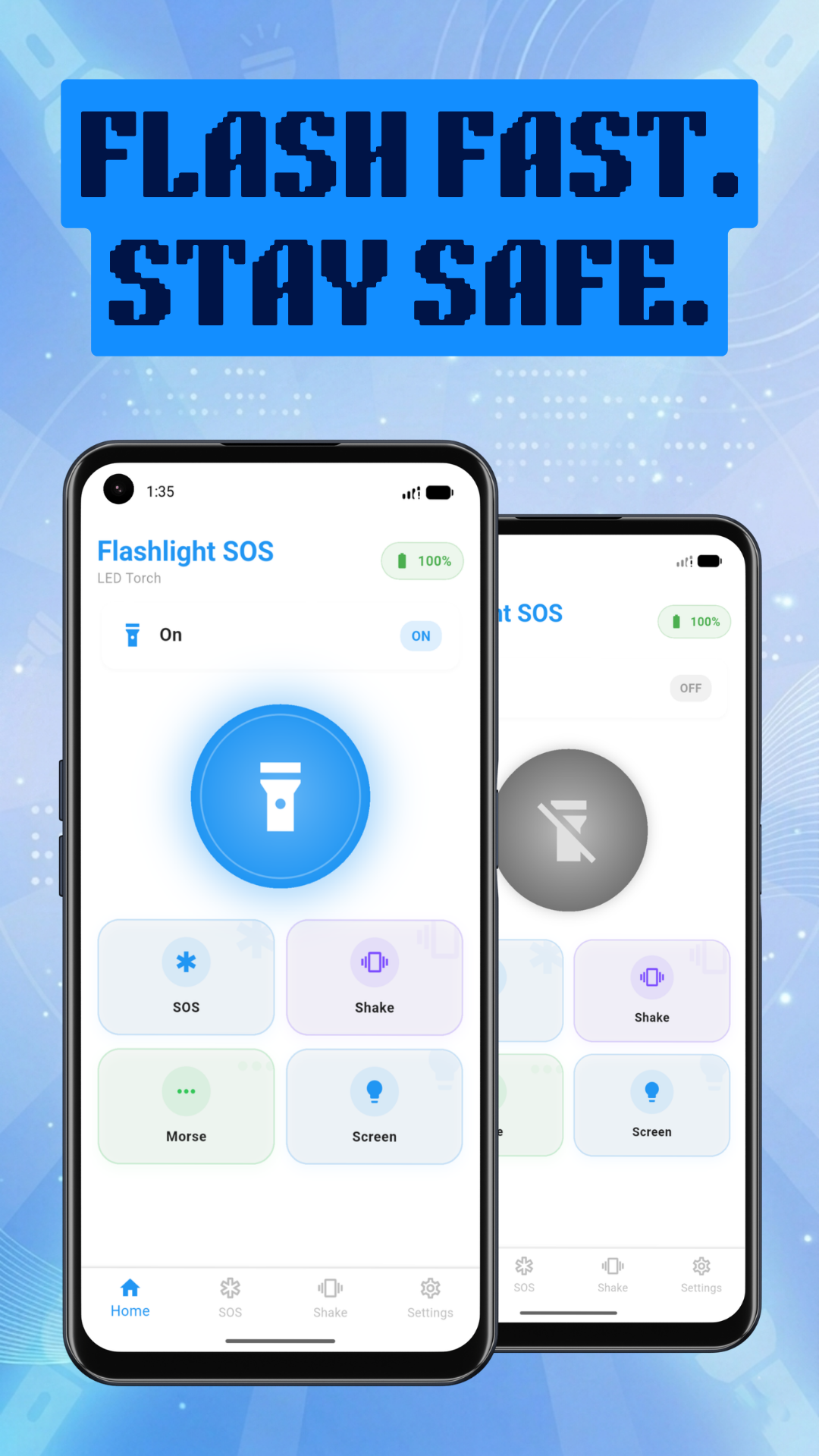
Fast flashlight control with immediate torch activation for when you need light quickly.
Screen Light
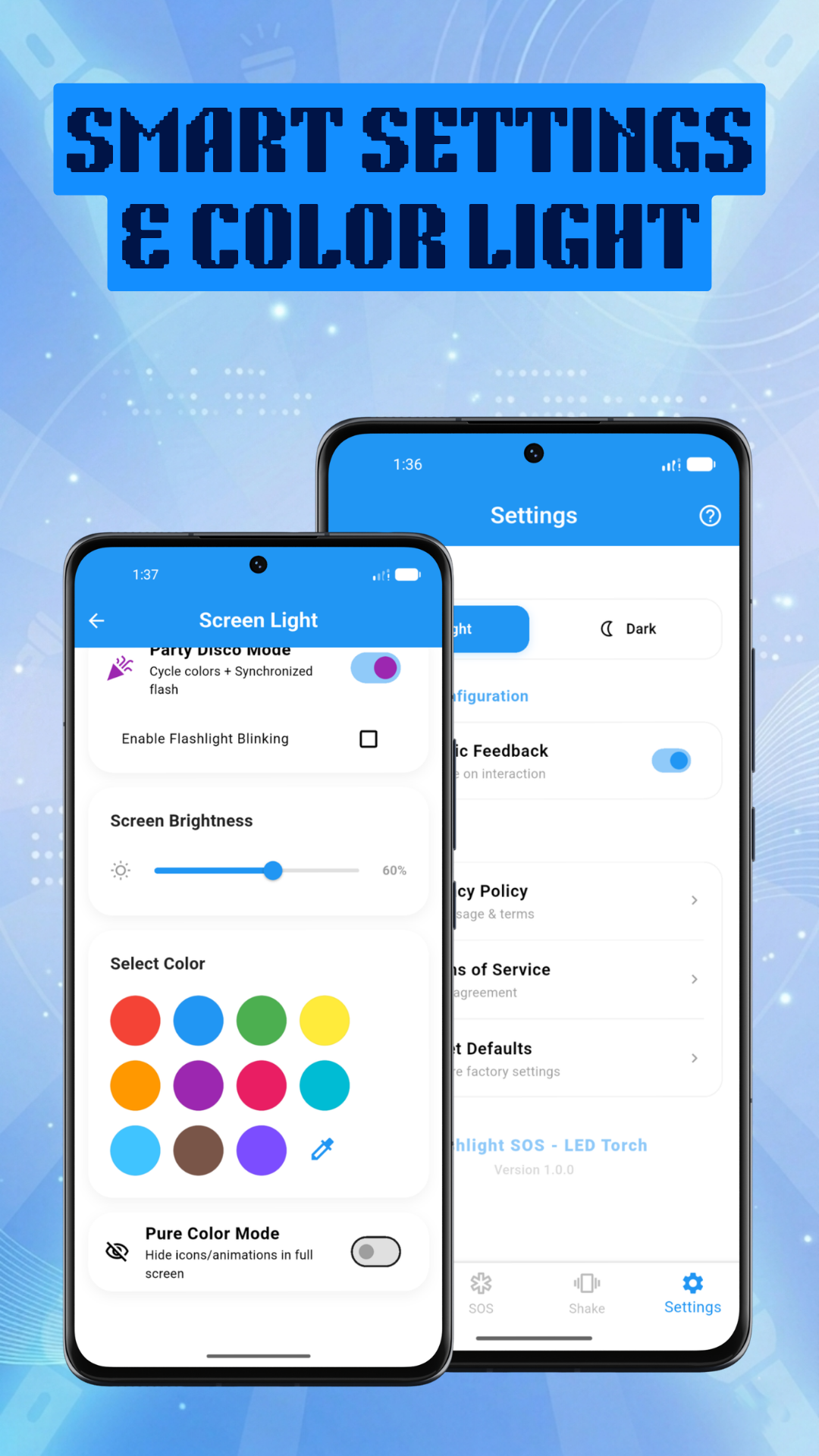
A screen-based light mode featuring adjustable brightness levels and custom color support.
Haptic & Sound Feedback
Vibration and sound effects to provide satisfying tactile and audio responses.
Home Screen Widget
Quick access to toggle the flashlight directly from your Android home screen.
Auto-Off Timer
Conserve battery life by setting a timer to automatically turn off the flashlight after a specified duration.
Battery Monitoring
Keeps track of battery levels to ensure you are always aware of your device's charge.
Shake to Toggle
Easily turn the flashlight on or off by simply shaking the device (powered by device sensors).
Prevent Sleep
Option to keep the screen awake while using the flashlight (Wakelock support).
Local Preference Storage
Saves all user preferences, theme settings (Light/Dark), and configurations securely on your device.
How to Use Flashlight SOS
Follow these quick steps to get light or send emergency signals in seconds.
-
1
Download the App
Install Flashlight SOS - LED Torch for free from Google Play Store in seconds.
-
2
Choose Your Lighting Mode
Select from Instant Torch, SOS Emergency Signal, Strobe Light, Screen Light, or Morse Code.
-
3
Adjust Settings & Timers
Customize strobe speed, set an auto-off shutdown timer, or adjust screen light brightness and colors.
-
4
One-Tap Activation & Widget
Toggle your flashlight instantly using the main button or directly from your home screen widget.
Understanding the SOS Signal
Learn what the signal means, when to use it, and essential battery preservation habits.
What is the SOS Pattern?
The international Morse code distress signal consists of
three short flashes, three long flashes, and three short flashes
(· · · — — — · · ·).
Flashlight SOS repeats this pattern automatically in a continuous loop so you don't need to manually time flashes during an emergency.
When to Use SOS vs Strobe
Use SOS Mode when you are in danger or need rescue. The pattern alerts emergency services, hikers, and drivers that you need help.
Use Strobe Mode for general visibility on night walks or roadside stops, and Morse Code Mode to translate custom text into light signals.
Battery & Usage Tips
Close Background Apps
The flashlight controls hardware camera LEDs. Closing heavy background apps keeps power draw predictable.
Lower Strobe Speed
A slower strobe frequency consumes less battery power while maintaining strong night-time visibility.
Use Screen Light Indoors
For soft reading or indoor navigation, Screen Light mode uses less battery than the rear camera LED.
Long-Lasting Emergency SOS
SOS mode is energy-optimized to keep flashing for hours, even when your phone battery is low.
When to Use Flashlight SOS
Practical everyday and emergency situations where this app helps.
Power Outages & Darkness — Instantly turn on bright LED illumination when the lights go out.
Emergency SOS Distress — Use automatic Morse code SOS signaling during roadside breakdowns or outdoor emergencies.
Night Walks & Strobe Alerts — Adjust strobe flashing speed to keep yourself visible to vehicles and others at night.
Morse Code Messaging — Convert custom text messages into visual light signals for distant communication.
Soft Bedtime Reading — Use customizable screen light colors and brightness options as a soft reading light.
Tactile Night Control — Feel vibration haptic feedback during flashlight toggles without needing to look at the screen.
Battery Preservation — Set smart auto-off shutdown timers to automatically turn off the light when no longer needed.
Private & Secure Usage — Enjoy complete privacy with zero personal data collection and local device storage.
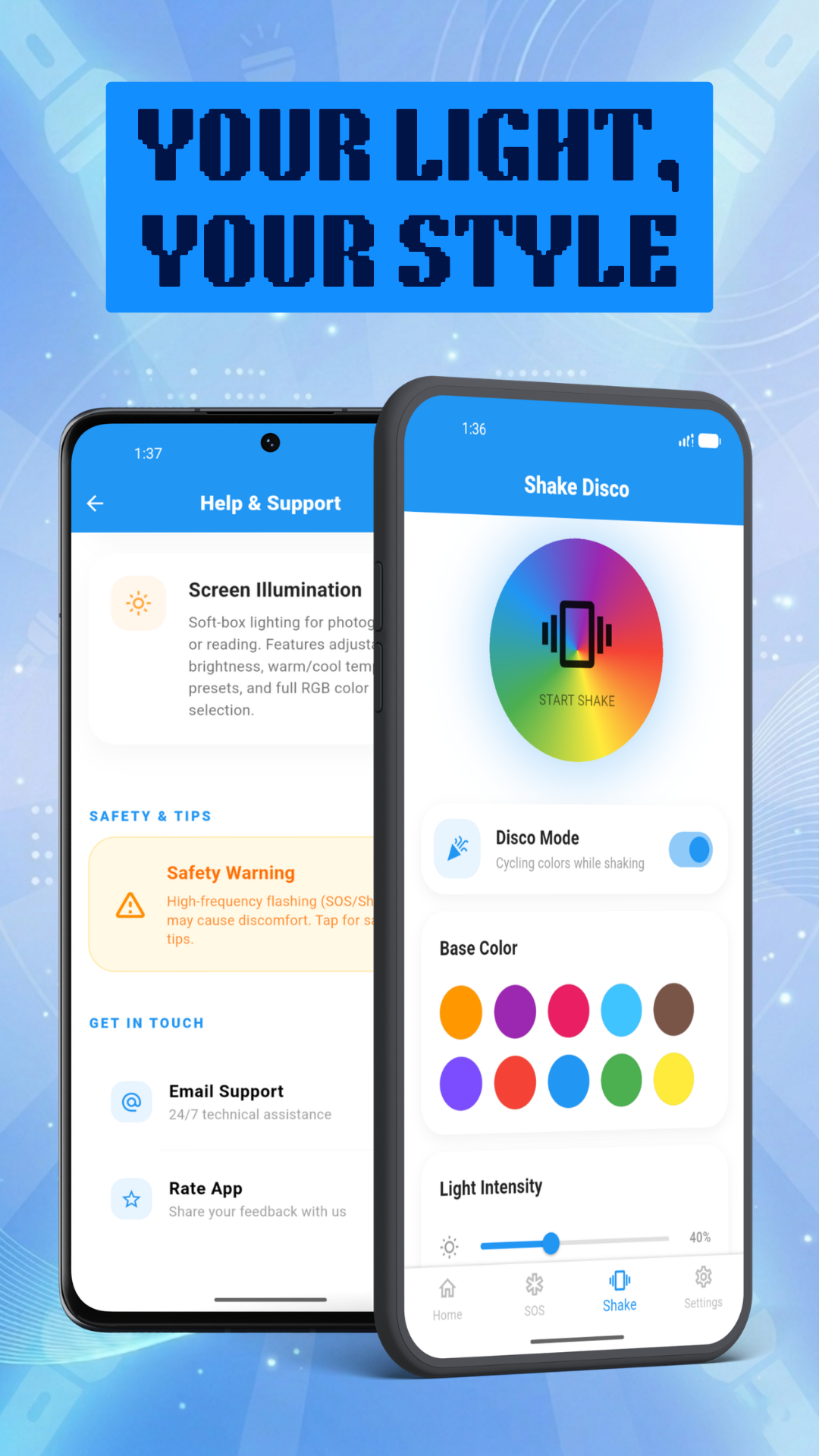
App Screenshots
Preview the clean and easy-to-use interface.
Frequently Asked Questions
Yes, Flashlight SOS - LED Torch is completely free to download and use on Android.
The app offers Instant Flashlight Control, SOS Emergency Mode, Adjustable Strobe Light, Morse Code Flashlight, Screen Light Mode with custom colors/brightness, Vibration Feedback, Smart Auto-Off Timer, Privacy Focused local storage, and a Clean & Simple interface.
Flashlight SOS uses three basic permissions: Camera/Flashlight (required solely to toggle the hardware LED light — no photos or videos are taken), Vibrate (for haptic feedback during flashlight toggles and strobe actions), and Internet & Network State (required for Google AdMob advertising support).
Simply type any text message into the Morse code tool, and the app automatically converts it into international Morse code light pulses using your device's LED flashlight.
You can set a custom shutdown timer. The app will automatically turn off the flashlight after the set duration, preventing accidental battery drain if the light is left on in a bag or pocket.
Yes. Strobe mode includes a speed slider that lets you set slow or fast flashing. Slower speeds use less battery power, while faster speeds create a stronger visibility signal at night.
Yes. The app is privacy-focused and does not collect personal data, location information, photos, or contacts. All settings are stored locally on your device.
Light Up the Dark with Flashlight SOS
Download the lightweight, fast, and secure flashlight app for everyday and emergency use.