CareerPrep - Resume Builder
Most people aren't designers — and they shouldn't have to be to land an interview. CareerPrep is a free resume maker for Android that turns your skills and experience into a clean, ATS-friendly PDF in minutes, ready to attach to any job portal.
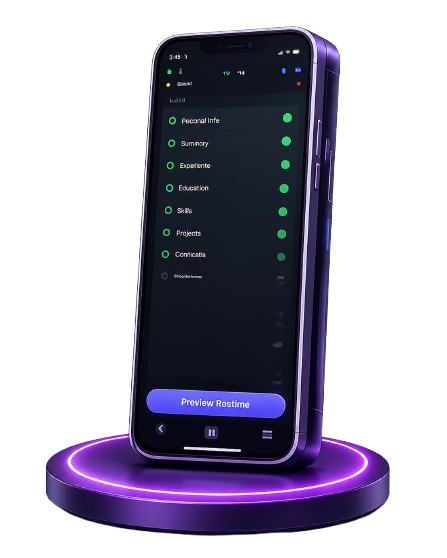
Get CareerPrep
on Your Phone
Scan the QR code
below to download the app from
Google Play Store.

Free Feature Highlights
Everything you can do on the zero-cost plan is built to put a solid, professional resume in your hands quickly.
Free Templates
A library of clean, single-page layouts that parse reliably in applicant tracking systems.
Simple Guided Builder
A short sequence of prompts arranges everything into proper sections as you answer.
Instant Preview
Updates appear live as you type, so you always see what a recruiter will actually read.
One-Tap PDF Export
Generate a crisp, print-ready PDF that is ready to attach to any job portal.
Resume Library
Keep different versions for different roles and switch between them whenever you like.
A Clear Path to Pro
When you want custom colors, extra templates, and section reordering, Pro unlocks those extras.
How to Build a Resume in Six Steps
-
1
Install and Open
Download CareerPrep, open it, and land on a dashboard listing your saved resumes.
-
2
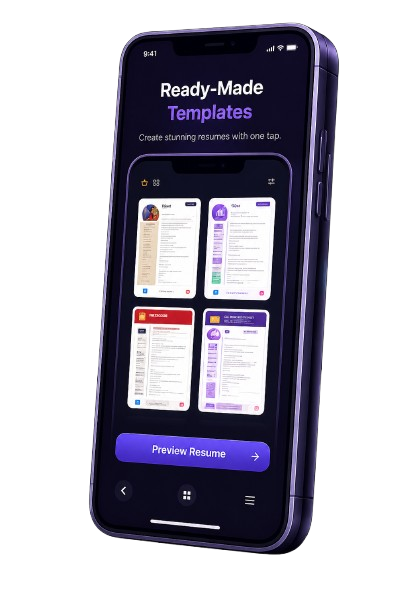
Pick a Free Template
Scroll the free template set and choose a clean layout that suits the job you are chasing.
-
3
Fill In the Core Sections
Add your summary, work experience, education, and skills through a short guided form.
-
4
Review the Live Preview
Check the spacing and reading order before you commit to an export.
-
5
Export as PDF
Download your finished resume as a PDF you can email or upload almost anywhere.
-
6
Save and Come Back
Keep the resume on your device and revisit it to update a date or add a reference.
Top Reasons to Try CareerPrep
These are the everyday wins you get from the free plan, based on how people actually use the app.
Completely free to download and use
Templates that pass ATS screening
Intuitive enough for a first resume
A PDF ready in under ten minutes
Your data stays on your device
Useful at every career stage
About CareerPrep: Resume Builder
CareerPrep makes resume creation simple and accessible for everyone. Create clean, professional CVs directly on your mobile device using intuitive ATS-friendly templates.
Easily fill in your contact information, experience, and education, then export your resume as a high-quality PDF or image ready to submit to recruiters.
7 Clean Resume Templates
Organized layouts tailored for quick, professional job applications.
Fast PDF & Image Export
Export high-quality PDF or image files instantly from your device.
App Screenshots
.png) Home Dashboard
Home Dashboard
.png) Templates Selection
Templates Selection
.png) Work Experience
Work Experience
.png) Resume Export
Home Dashboard
Templates Selection
Work Experience
Resume Export
Resume Export
Home Dashboard
Templates Selection
Work Experience
Resume Export
Frequently Asked Questions
Yes. The core builder, a solid set of templates, and PDF export are free. CareerPrep Pro is an optional upgrade for premium layouts and extra customization.
You can. Finished resumes export as a high-quality PDF that you can attach to online applications or message the file directly to recruiters.
The free templates are built with ATS in mind, using clean headings and standard section labels that parsing software can read without trouble.
Yes. Every saved resume stays on your phone and can be reopened for edits whenever your situation changes.
Free users can keep a limited number of saved resumes on device, while Pro provides unlimited storage.
Pro bundles unlimited exports and storage, premium templates, an ad-free experience, custom colors and fonts, section reordering, and watermark-free PDFs.
Your resume data lives on your own device, and the app is designed to keep that information private and protected.
Absolutely. Students, recent graduates, interns, and experienced professionals all use the same straightforward flow.
Not at all. The app handles all the formatting automatically, so you focus on the wording while CareerPrep manages the layout.
Sure. The exported PDF can be shared with employers by email, through messaging apps, or directly on job portals.
.png)
.png)